Sunday, May 20, 2012
Welcome!

Welcome to my little corner of the Internet!

Among other things, I'm exploring all that the DotNetNuke website framework has to offer.

You can email me at Larry@LarryDaniele.com.

My Other Sites

You can also visit CompanionSoftware.com - my business site and the home of the Metafile Companion utility for editing Windows metafiles. While you're there, check out my website development portfolio.

I would also encourage people interested in developing their own web site to look at DotNetNuke. It's what I'm using to create this site. Once it's set up, it's quite simple to add, edit and remove content over time.

Latest Blog Entries
By Larry Daniele on 6/25/2011 1:30 PM
A while back I wrote about the High CPU Usage When Carbonite Tries to Backup Running Apps problem. I still experience this problem from time to time and sometimes that solution doesn't work. When it doesn't, it seems the only other solution is to manually uninstall and reinstall Carbonite to remove any "zombie" backups.

Note: Before you do any reinstall, you may want to record which, if any, folders you have excluded from backups in the System Preferences > Carbonite panel. It appears that Carbonite remembers your settings online, but if they changed recently, they may not all be saved.

Here are the steps to do uninstall and reinstall from Carbonite tech support:

Please follow the steps below to manually remove Carbonite’s program files:

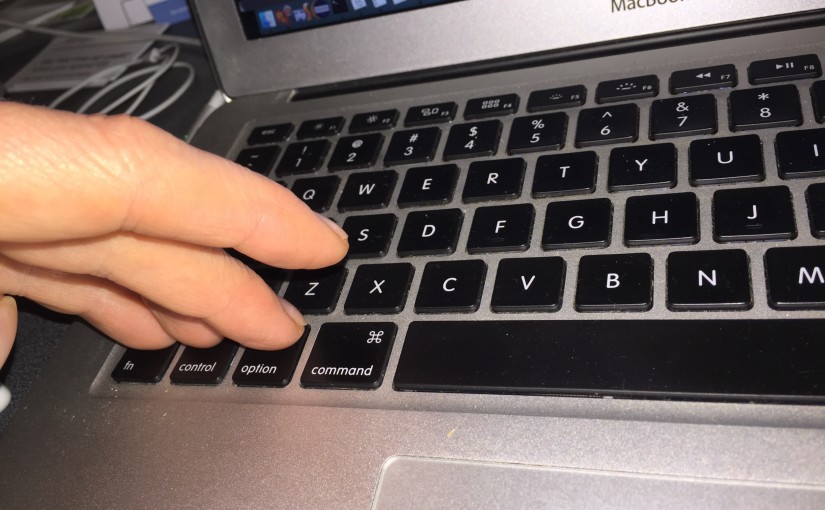
Restart your Computer. Control click on Finder on the dock and select ‘Go to Folder’. Type /Library/Application Support/ into the window that appears....
By Larry Daniele on 1/31/2011 5:23 PM
I spent a few hours on the phone with Carbonite tech support to find out why my CPU usage is constantly hovering around 80% (attributed primarily to process name "CarboniteDaemon") and why the Carbonite backup program itself never reached an idle state.

We tried installing the latest version for the Mac (currently 1.1.4) but that didn't help. There is a Carbonite log file at "/Library/Application Support/Carbonite/Data/Carbonite.log" but that didn't reveal the problem. Then we tried the following command:

sudo fs_usage | grep "CarboniteDae" >/CarboniteOutput.txt

Note: Since fs_usage will keep generating output, you'll need to press Ctrl+C to stop logging to the file after a minute (or less).

Opening the resulting CarboniteOutput.txt file in the root folder show that lots of apps were being checked for backup. The high CPU usage problem stems from trying to backup running applications. The solution is to go to the Carbonite pane in System Preferences, select Backup and make sure...
By Larry Daniele on 1/31/2011 8:55 AM

I thought the article Apple fan's faith put to the test on CNET.com was thought-provoking (esp. now that I've become a Mac fanboy). It seems that whenever we peek behind the curtain, things get complicated. I like Mike Daisey's spirit. Face a problem head on and work to fix it (instead of ignoring it or simply giving up).

By Larry Daniele on 1/17/2011 3:20 PM

Once again I looked into robust, cross-platform video support for a client site. And once again, I cringed at how fragmented browser video support is. For example, it appears that the only format officially supported by both Windows Media Player and Apple QuickTime is the old .AVI format. Really? Really!

So what's a web developer to do? Have your client upload the video to YouTube and then put an embedded player on your site. (YouTube will generate the code snippet for you). Done.

By Larry Daniele on 12/13/2010 8:25 PM
Recently, one of my clients was snooping around Admin > Site Settings > Advanced Settings > Page Management and accidentally Login Page to the Home page. Needless to say, this caused a lot of grief. Not only could he not log in, he couldn't change the setting back since he couldn't log in!

Unfortunately, many of the documented solutions to this problem such as HOW TO : Access the DNN Login Page from Any Page don't work with DotNetNuke 5 since they added Localization. This is because the LoginTabId column moved from the Portals table to the PortalLocalization table (so it can be localized).

Therefore, to reset the Login page to the default setting, log into the database manager for your website and run a query of the form:

Update PortalLocalization Set LoginTabId=null Where PortalId=xx

where "xx" is the PortalId (usually "00"). So, for example:

...
By Larry Daniele on 11/20/2010 6:35 AM

Libby receives award

Yesterday at the Frontier High School awards ceremony, Libby garnered not one, but TWO awards. The first is the John and Abigail Adams Scholarship which gets her free tuition at any Massachusetts state school including UMass (where her sister Sarah graduated from). Libby also received a National Merit Award for academic acheivement. Principal Marti Barrett made a special point to say how glad she was to see Libby since she is completing her senior year through dual enrollment at Greenfield Community College.

Way to go, Libby!

By Larry Daniele on 10/19/2010 4:21 PM

I've noticed that since I've started using my new iPhone to check my email, sometimes Mac Mail on my iMac desktop computer will report a message like this:

The POP server "mail.CompanionSoftware.com" rejected the password for user "Username@CompanionSoftware.com"

and I'm asked to enter my password again and again and again. Very annoying!

This error has nothing to do with my password (which is saved properly on the Mac Keychain). Instead the problem is with my free mail server software (MailEnable Standard Edition).

By Larry Daniele on 2/6/2010 9:41 PM
Today Libby, Grandma Millie and I went to see Joe play Mercutio (Romeo's best friend) in the Frontier Regional High School production of Romeo and Juliet. Joe was AWESOME - a natural talent with great stage presence. The cast was wonderful and the production was a tasty blend of contemporary music, Shakespearian prose and rhyme with an occasional dance number. Truly entertaining!
Joe as Mercutio 
Here are some more photos of Joe as Mercutio.
 
By Larry Daniele on 2/4/2010 10:06 PM
 I am building another DotNetNuke website with the wonderful Flex2 skin. My client asked that the Search field have some sort of label to make it more clear what the function was. I wanted to to do what the "cool kids" do: put the text "Search" in the field when it is "empty" and then automagically remove the text when the user clicks in the box.

Since this is a DNN 5 site that has jQuery support built in, I could use a slightly modified version of this simple jQuery code from Brian Reindel (that I tucked into the skin's drnuke-height.js file that is already loaded by the skin):

/* Doctor the DNN Search field to display the word "Search" when it's "empty" and remove this text when the user clicks in the field. jQuery code compliments of 5 JavaScript Tricks Made Easy with jQuery jQuery JavaScript Samples by Brian Reindel http://www.reindel.com/five_javascript_tricks_jquery/ */ $(function() { swapValues = []; $("#dnn_dnnSEARCH_txtSearch").each(function(i){...
By Larry Daniele on 1/22/2010 8:59 PM
I thought my mission was an easy one:

Code sign an existing MFC application (Metafile Companion) setup installer

I should have known better. :-) I was successful and it really isn't that hard once you find out what to do. But there's the rub - the web is full of options that end up being dead ends. Below are some of the lessons I learned.

Lesson 1: You really can pay $99 for a one-year signing certificate from K Software.

There are other more expensive Certificate Authorities (e.g. VeriSign and Comodo) that charge more than this. But the K Software certificate (issued by Comodo) seems to work just fine. I would recommend using either Firefox or Internet Explorer to place your order and later downloading your certificate so it is added "automagically" to the system certificate store. Also, follow their export instructions so you have a backup of your certificate.

Lesson 2: To see what certificates are on your system, run "certmgr.msc". 

This is how you can be assured...
A Random Walk
Minimize
Enjoy a few random photos from my gallery!
The Shadow and Mom
030 - Where Larry Used to Get Off for Work
Lotus One
25. John Averill, our project foreman
James and Mom at Home
More photos...
Privacy Statement  |  Terms Of Use
Copyright 2007-2011 by Larry Daniele